
Customers distrust links that arrive by SMS, and with good reason. Here is how to include links that are recognized as legitimate, how to decide when it is better not to add one and how to measure clicks without exposing your brand.
Why the link is the most sensitive part of the message
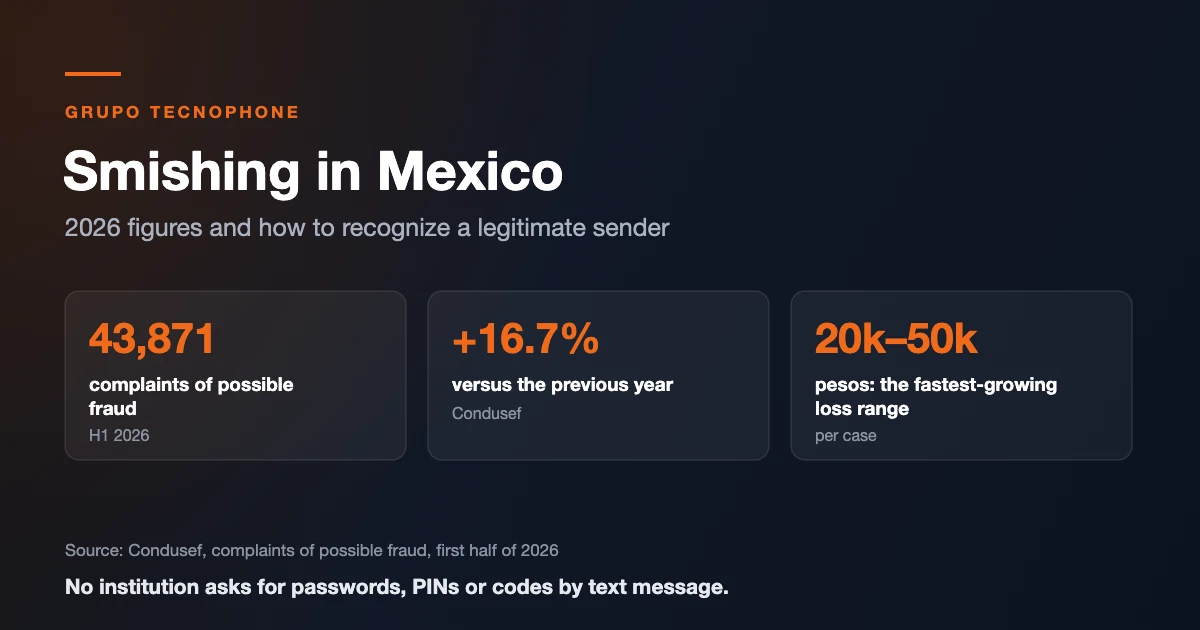
The link is the favorite tool of smishing: it leads to fake pages that ask for data or install malicious apps. That is why Mexico’s financial consumer agency, Condusef, advises users not to open links received by SMS. For a business, a poorly presented link can ruin a legitimate campaign.
At the same time, links are useful: they let customers pay, track an order or confirm an appointment in one click. The answer is not to remove them but to make them unmistakable.
Seven rules for a trustworthy link
- Use your own domain or a short subdomain of your brand (for example, pay.yourbrand.mx).
- Avoid generic shorteners. They hide the destination, scammers use them and operator filters treat them with suspicion.
- Always HTTPS. The landing page must load securely and with your brand’s look and feel.
- Say where it goes. “Check your statement at…” builds more trust than a bare link.
- One link per message. Two or more links look like spam.
- Do not ask for sensitive data on the landing page unless the customer signs in through official channels.
- Be consistent: same sender, same domain and same style in every send.
When it is better not to include a link
In some messages a link adds risk instead of value:
- OTP codes: the message should only carry the code, its validity and a warning not to share it.
- Security or fraud alerts: ask the customer to open the official app or call the number printed on their card.
- Block or suspension notices: they are the most common disguise for fraud; point to the official channel instead of a link.
How to measure clicks without losing trust
Tracking links, included in our bulk SMS platform for businesses, let you know who clicked without changing the visible domain. Combine them with UTM parameters to see in your analytics which campaign generated each visit and sale.
Compare three numbers per send: delivered messages (according to delivery reports), clicks and conversions. If delivery is good but clicks are low, the problem is usually the text or trust in the link.
Example: before and after
- Untrustworthy: URGENT your account will be suspended log in here bit.ly/x9k2
- Recognizable: BancoX: Your October statement is ready. See it in your app or at bancox.mx/edo. We will never ask for passwords by SMS.
The difference is the brand name first, your own domain, no urgency and the closing warning. With a registered alphanumeric sender, customers recognize the message before reading it.
Sources
- El Siglo de Durango, “Condusef advierte sobre enlaces que llegan por SMS” (September 9, 2026, in Spanish). elsiglodedurango.com.mx
- Google, Analytics Help, “URL builders: collect campaign data with custom URLs”. support.google.com
Frequently asked questions

Need an enterprise SMS platform?
Grupo Tecnophone provides enterprise SMS messaging in Mexico, an API with sandbox and encryption, per-message delivery reports and a console for campaigns. Talk to an expert or read the developer documentation.