
A university has to notify thousands of students about dates they cannot miss: enrollment, payments, exams and paperwork. SMS reaches all of them, even if they do not check their institutional email or have mobile data at that moment.
This guide is for universities, technical institutes and higher-education schools. If your institution is a K-12 school, see SMS for schools: notices to parents and 20 message examples.
Why SMS works with university students
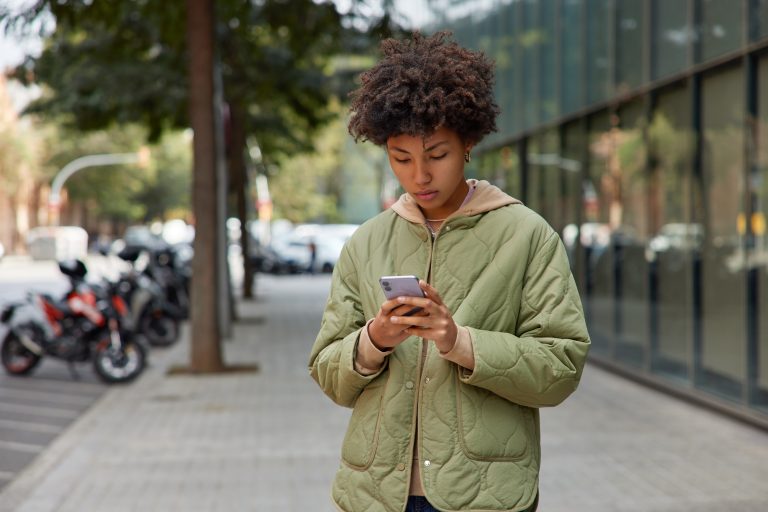
According to Mexico’s Ministry of Education (SEP), there are 5.8 million higher-education students in the 2025-2026 school year. Nearly all of them have a phone: in 2025, 84.6% of people aged six and over used a mobile phone, according to INEGI’s ENDUTIH survey.
The challenge is not reaching the phone but getting the notice read. Institutional email competes with dozens of notifications, and the university’s social media does not reach everyone. SMS lands in the phone’s messaging inbox, needs no app or internet connection, and leaves a delivery record for every notice.
It is also a channel the institution controls: it always comes from the same alphanumeric sender ID (for example, the university’s name), which helps students tell an official notice from a fraud attempt.
The academic cycle: the moments worth an SMS
Every term repeats dates that cause questions, lines at service windows and missed deadlines. These are the notices with the most impact:
- Admissions: application opening, exam date and location, results.
- Enrollment and re-enrollment: system opening, time slot to pick classes and deadline.
- Payments: tuition due dates, late-fee dates and payment confirmation.
- Exams: midterm, final and make-up exam calendars; room or schedule changes.
- Scholarships: calls for applications, missing documents and results.
- Social service, internships and graduation: registration, document submission and ceremonies.
- Operational notices: class cancellations, platform outages and campus emergencies.
For payment reminders, you will find ready-to-use templates in payment reminder SMS examples.
15 SMS examples for universities
The examples use a fictitious institution. All of them fit in a single SMS: be specific, include the date and say what the student needs to do.
- Admissions call: “UNIVALLE: Applications for 2027 admission are open until February 15 at univalle.mx/admissions”
- Admission exam: “UNIVALLE: Ana, your admission exam is Saturday, March 7 at 8:00 in building C. Bring ID and your printed pass.”
- Results: “UNIVALLE: Admission results are out. Check them with your application number at univalle.mx/results”
- Re-enrollment: “UNIVALLE: Re-enrollment for term 2027-1 opens January 5. Your slot to pick classes: January 6, 10:30.”
- Deadline: “UNIVALLE: Re-enrollment closes tomorrow. If you do not complete it, your seats in your groups will be released.”
- Tuition: “UNIVALLE: Your February tuition is due on the 10th. Pay online with your student ID and avoid late fees.”
- Payment received: “UNIVALLE: We received your February tuition payment. Thank you. Your receipt is in the student portal.”
- Midterms: “UNIVALLE: Midterm exams run March 16-20. Check your schedule in the student portal.”
- Make-up exams: “UNIVALLE: Registration for make-up exams closes Friday, May 29. Sign up in the student portal.”
- Room change: “UNIVALLE: Today Calculus II (group 2B) meets in room A-204 at the usual time.”
- Scholarships: “UNIVALLE: A document is missing from your scholarship application. Upload it by September 12 in the student portal.”
- Social service: “UNIVALLE: Social service registration is open until August 30. Requirements at univalle.mx/service”
- Graduation: “UNIVALLE: Your graduation paperwork was approved. Pick up your certificate at Student Services, 9:00-14:00.”
- Class cancellation: “UNIVALLE: Due to heavy rain, in-person classes at North campus are canceled today. Follow your professors’ instructions.”
- Security: “UNIVALLE: We will never ask for your password by message. If you get a suspicious notice, report it to Student Services.”
Need more ideas? See SMS message examples and templates.
Secure student portal access with OTP
Student portals hold grades, payments and documents. A one-time code sent by SMS at login or password recovery reduces the risk of someone getting in with stolen credentials. See how SMS OTP authentication works.
Privacy and best practices
- Do not send sensitive data: no grades, detailed balances or health data in the text. Say the information is available and point to the portal.
- Protect personal data: student phone numbers are personal data; use them only for the purposes in your privacy notice, as Mexico’s LFPDPPP requires.
- Keep notices and promotion apart: marketing your programs to prospective students is a promotional message and requires prior consent. See the requirements for marketing SMS in Mexico.
- Respect sending hours: send between 8:00 and 20:00, except for emergencies.
- Keep your list up to date: ask students to confirm their number at every re-enrollment and clean out numbers that fail according to delivery reports.
How to get started
The simplest way is to upload lists by program, term or group to a web platform and schedule the sends. If the university already has a student information system, the SMS API lets notices go out automatically: when a payment is recorded, when results are published or when a deadline approaches. Either way, delivery reports show which students received each notice.
Grupo Tecnophone has more than 30 years in business messaging. To see how it would work at your institution, request a demo.
Sources
- “SEP reporta 5.8 millones de estudiantes en educación superior”, El Congresista, September 15, 2026 (with SEP data, in Spanish). Read
- INEGI, ENDUTIH 2025: 84.6% of the population aged six and over used a mobile phone. inegi.org.mx
Frequently asked questions



Need an enterprise SMS platform?
Grupo Tecnophone provides enterprise SMS messaging in Mexico, an API with sandbox and encryption, per-message delivery reports and a console for campaigns. Talk to an expert or read the developer documentation.