
OTP stands for One-Time Password: the verification code most apps and banks send by SMS. It is one of the most widely used second authentication factors in the world. Here is how it works, which design decisions matter and how to implement it with an SMS API. So, what is OTP in practice? A short-lived code that proves the user holds the phone.
What an OTP is and why SMS is still the most used channel
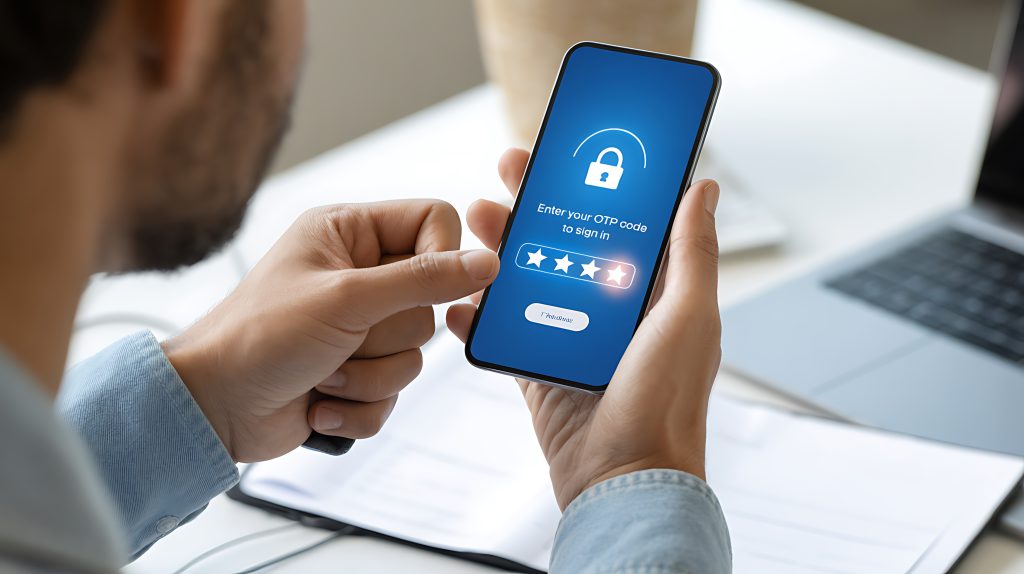
OTP stands for One-Time Password: a single-use code, usually 4 to 8 digits, valid for one operation and expiring within a few minutes. It is used as a second authentication factor (2FA) because it proves the person has access to a specific device, the phone, on top of knowing their password.
Other mechanisms exist, such as authenticator apps or push notifications, but SMS remains the most widespread for one simple reason: it works on any handset, with nothing to install and no internet connection. For a bank, a fintech or an online store serving millions of people with very different devices, that universality outweighs every other advantage.
Verification code: what it is and why it arrives by SMS
Verification code, security code, one-time PIN or token: it is almost always an OTP. It is the number an app, store or bank sends to your phone to confirm you are who you say you are when you sign up, log in, reset a password or authorise a payment. It is the second step of two-factor authentication.
It arrives by SMS because that is the only channel that works on any phone, with no app and no mobile data. A few rules worth knowing, whether you receive codes or send them:
- The code works once and expires in minutes; requesting a new one invalidates the previous code.
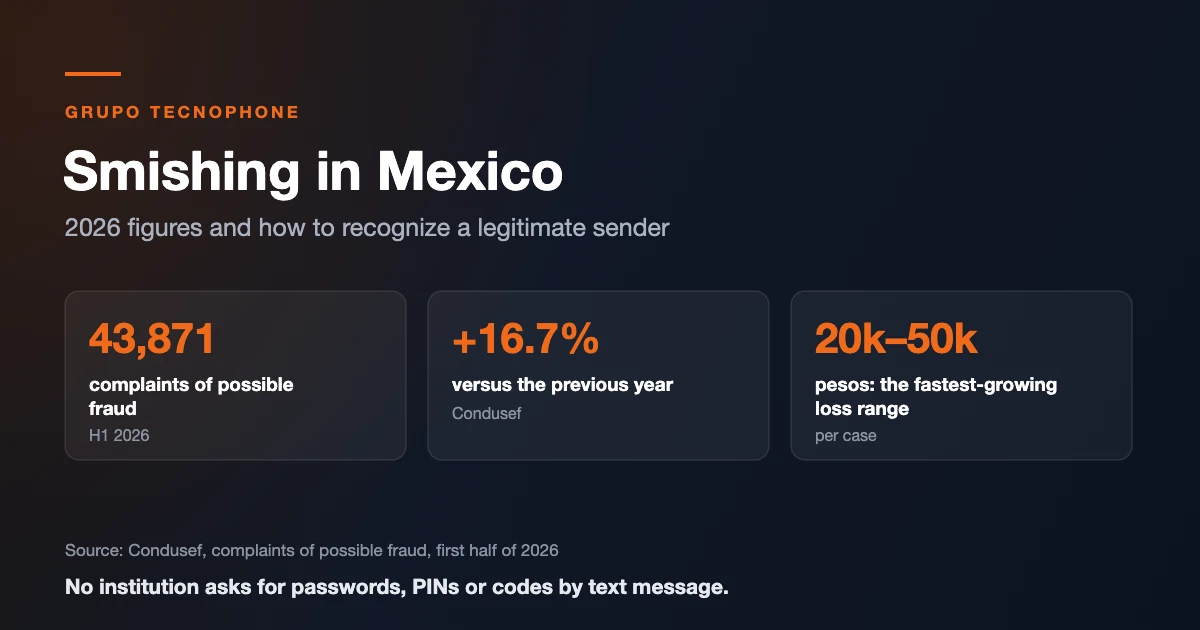
- No legitimate company will ask for that code by phone, chat or email. Anyone who does is attempting fraud.
- If you get a verification code you did not request, someone typed your number by mistake or is trying to access your account: do not share it and, if it keeps happening, change your password. See how to spot smishing.
- For businesses: the message should identify the brand, state the validity period and contain no links.
Types of OTP: by SMS, voice call, app and email
The acronym OTP describes the kind of password, not the channel. The same one-time code idea is delivered in several ways:
- SMS OTP: the code arrives as a text message. It is the most widely used because it works on any phone, with no app or data.
- Voice call OTP: an automated call reads out the code. It works as a fallback when the SMS does not arrive or for users with a landline.
- Authenticator app OTP (TOTP): an app generates a new code every 30 seconds from a shared key. It does not depend on the phone number; we compare it with SMS in MFA: SMS OTP, authenticator app or push.
- Email OTP: useful as an alternative, although less immediate and more exposed if the email account is compromised.
Technically there are two standardized algorithm families: HOTP, counter-based (RFC 4226), and TOTP, time-based (RFC 6238). In SMS OTP the most common approach is even simpler: your system generates a random number, stores it with an expiry and sends it to the user.
How the flow works, step by step
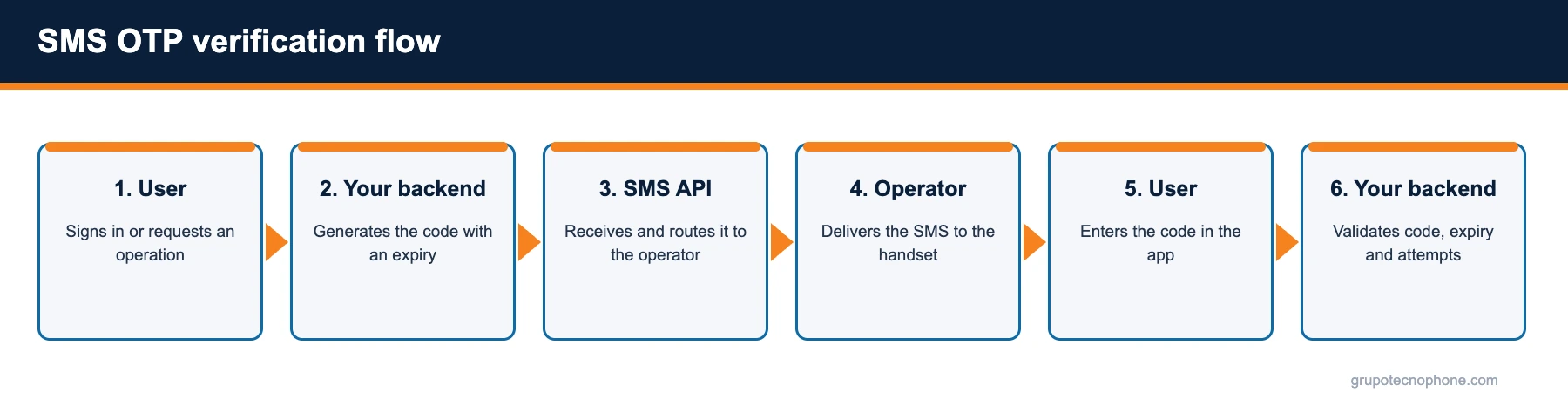
The whole process takes a few seconds and runs through six stages. First, the user performs an action that requires verification: creating an account, signing in from a new device, authorising a transfer. Second, the company backend generates a random code, ties it to the user and the operation, and stores it with an expiry time (normally between 2 and 10 minutes).
Third, the backend calls the SMS provider API with the user number and the message text. Fourth, the platform validates the request, routes it to the relevant mobile operator and the operator delivers the SMS to the handset. Fifth, the user reads the code and types it into the application. Sixth, the backend compares the entered code with the stored one, checks that it has not expired and that the allowed number of attempts has not been exceeded, and approves or rejects the operation.
One important point: the code is always generated and validated by your own system, never by the SMS provider. The messaging platform is responsible for delivering the message quickly and telling you whether it arrived.
Design decisions that make the difference
- Length and format: six numeric digits is the standard. Longer codes are harder to type; shorter ones reduce security.
- Expiry: 2 to 5 minutes for sensitive operations; up to 10 for sign-ups. A code that lives too long is an open door.
- Attempts: cap at 3 to 5 attempts per code and apply a temporary block after several consecutive failures.
- Resend: allow a resend only after 30 to 60 seconds and with a daily cap, to prevent abuse and unnecessary cost.
- Message copy: include the company name, the code and a clear warning not to share it. Avoid links.
- One code per operation: never reuse the same OTP for different actions.
One further recommendation is to store the identifier (sid) the API returns for each message, so you can match it against the delivery report if a user reports never receiving the code.
OTP message examples
A good OTP message says who sent it, what the code is, how long it lasts and that it must not be shared. These examples fit in a single 160-character SMS within the GSM7 alphabet:
- “MyApp: your verification code is 482913. It expires in 5 minutes. Do not share it; MyApp will never ask you for it.”
- “North Bank: code 731904 to authorise the $5,000.00 transfer. If this was not you, call 55 1234 5678.”
- “ShopX: use code 205871 to confirm your purchase. It expires in 3 minutes. If you do not recognise it, ignore this message.”
- “Fintech Ya: your code to change your password is 660318. If you did not request it, contact support.”
You will find more templates by message type in 45 SMS message examples and templates.
Security: threats and how to mitigate them
The best known risk is SIM swapping, where an attacker persuades the operator to port the victim number to another SIM card. It is mitigated by combining the OTP with other signals (known device, usual location, amount limits) and by offering an alternative second factor for high-risk operations.
The second risk is social engineering: someone impersonates the company and asks the customer to read out the code. That is why the SMS text must state explicitly that nobody from the company will ever ask for it. The third is abuse of the send endpoint (SMS pumping), controlled with rate limits per number and per IP, and by validating number format before sending.
On the platform side, Grupo Tecnophone adds its own layers: token authentication, an allowed-IP list per connection and optional RSA-OAEP encryption of the number and the message body, so sensitive data travels protected even inside the HTTPS channel.
Why does the OTP code not arrive?
When a user says they did not get the code, the cause is rarely the integration. The most common ones in Mexico are:
- Suspended line: since August 2026, lines that do not complete the CURP registration are being suspended, and a suspended line does not receive SMS.
- Mistyped or landline number: an extra digit or a landline. Validating the number against Mexico’s National Numbering Plan (PNN) before sending avoids the attempt.
- Phone off or out of coverage: the message waits until the device is back on the network, and by then the code may have expired.
- Operator or handset filters: inconsistent senders or texts with generic links can get filtered. Always use a recognizable sender.
To solve it fast, store the ID of every send and check its delivery report (DLR); offer a resend button with a 30 to 60 second wait and, as a fallback, the code by voice call. We cover every cause in why an SMS is not delivered.
SMS OTP in Mexican regulation
In banking, the SMS code is an authentication factor recognized by the CNBV. In September 2026 the electronic banking rules were amended to allow codes to be sent by SMS in operations with technology-based agents; we explain it in CNBV allows SMS authentication codes.
How to implement it with the Grupo Tecnophone SMS API
The integration comes down to one HTTPS call per code. In the platform console you create an API connection, copy the token and register the IP addresses your backend will call from. After that, sending is a POST request to the send endpoint with two fields: the destination number and the text.
curl -X POST https://api.grupotecnophone.com/prod/v1/sms/send \
-H "Authorization: Bearer YOUR_TOKEN" \
-H "User-Agent: MyApp/1.0" \
-H "Content-Type: application/json" \
-d '{"to": "+5215512345678", "body": "Your MyApp code is 482913. It expires in 5 minutes. Do not share it."}'
The response includes a unique message identifier (sid), the initial status, the encoding used and the number of segments. A sandbox environment validates the whole logic without sending real messages, which is ideal for testing the integration before going live. Full documentation, with examples in PHP, Python, Node and Java, is in the Developers section.
What to measure after going live
Three indicators tell you whether your OTP works: delivery rate (messages delivered over messages sent), latency (seconds between the request and delivery) and the conversion rate of the flow (users who complete verification). If delivery is high but conversion is low, the problem is usually the message copy or the experience of the code entry screen.
Per-message and per-operator delivery reports let you quickly tell whether an issue is general or concentrated in one operator or region.
See also: SMS OTP service for businesses · How to choose an SMS OTP provider in Mexico: 7 points to evaluate · SMS as a critical channel for banking and fintech: OTP, alerts and fallback
Sources
- “RFC 4226: HOTP: An HMAC-Based One-Time Password Algorithm”, IETF, December 2005. Read source
- “RFC 6238: TOTP: Time-Based One-Time Password Algorithm”, IETF, May 2011. Read source
- NIST SP 800-63B-4, Digital Identity Guidelines: Authentication and Authenticator Management (out-of-band authentication via SMS, 10-minute maximum validity and attempt limits). nist.gov
- OWASP, Multifactor Authentication Cheat Sheet (SIM swap and SMS OTP risks). owasp.org
Frequently asked questions


Need an enterprise SMS platform?
Grupo Tecnophone provides enterprise SMS messaging in Mexico, an API with sandbox and encryption, per-message delivery reports and a console for campaigns. Talk to an expert, request a demo or read the developer documentation.